Step 1 - Check Wi‑Fi (Updated)
On the bike computer:
- Ensure Wi‑Fi is connected
- Toggle Wi‑Fi OFF → ON
- Move closer to the router if needed
A weak or unstable Wi‑Fi connection is the most common cause of failed uploads.
Additional Wi‑Fi Check (IMPORTANT)
Make sure your bike computer itself is properly connected to Wi‑Fi inside the OneLapFit app.
On your phone:
- Open the OneLapFit app
- Go to Device
- Scroll down to General Settings
- Select Wi‑Fi Connection
- Set up or confirm the Wi‑Fi network for the device
- Allow the device to synchronize data over Wi‑Fi
If the device is not connected to Wi‑Fi inside OneLapFit, it will not be able to upload rides to Strava.
Step 2 - Re‑authorize Strava
To fix broken or expired Strava permissions, you must revoke access in two places:
Part A - Revoke MageneFitness inside Strava (IMPORTANT)
This must be done on a laptop or PC, not on a phone.
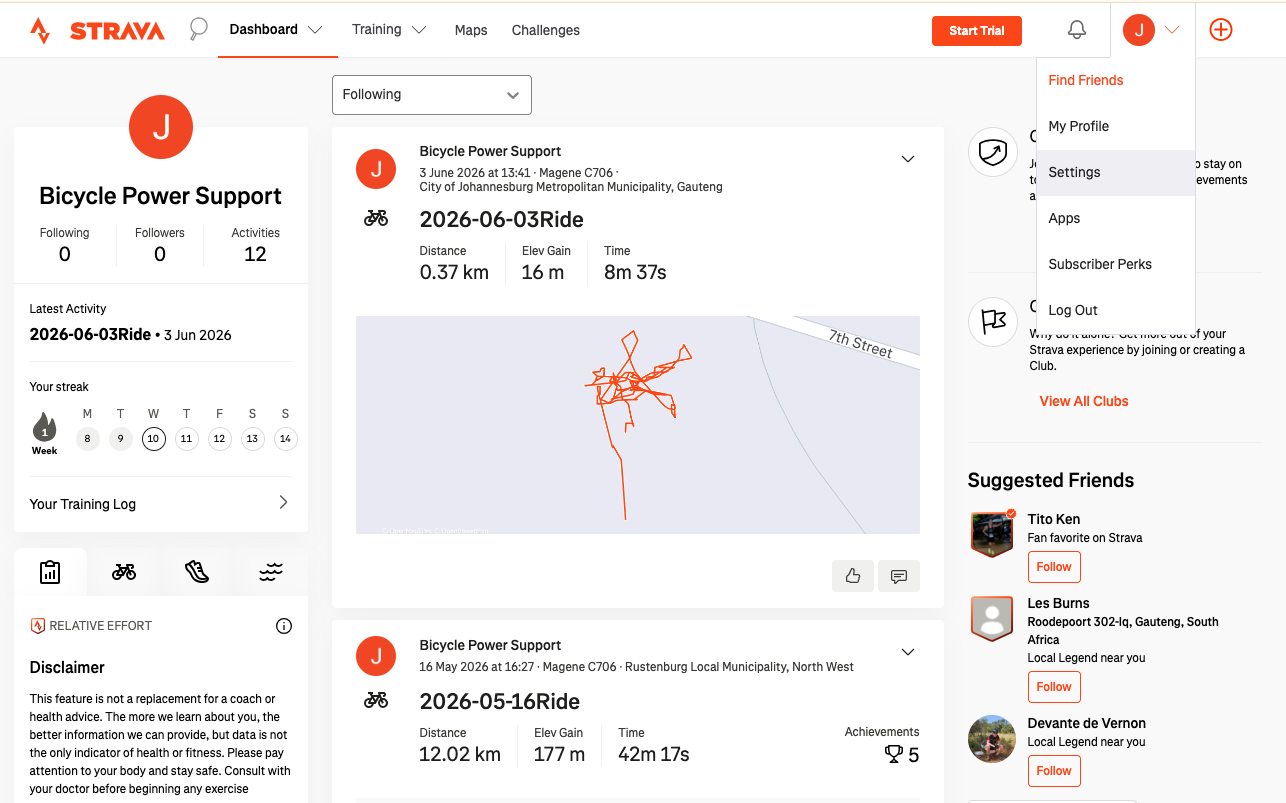
- On your computer, open a browser and log into your Strava account
- Click your Account Icon (top right)
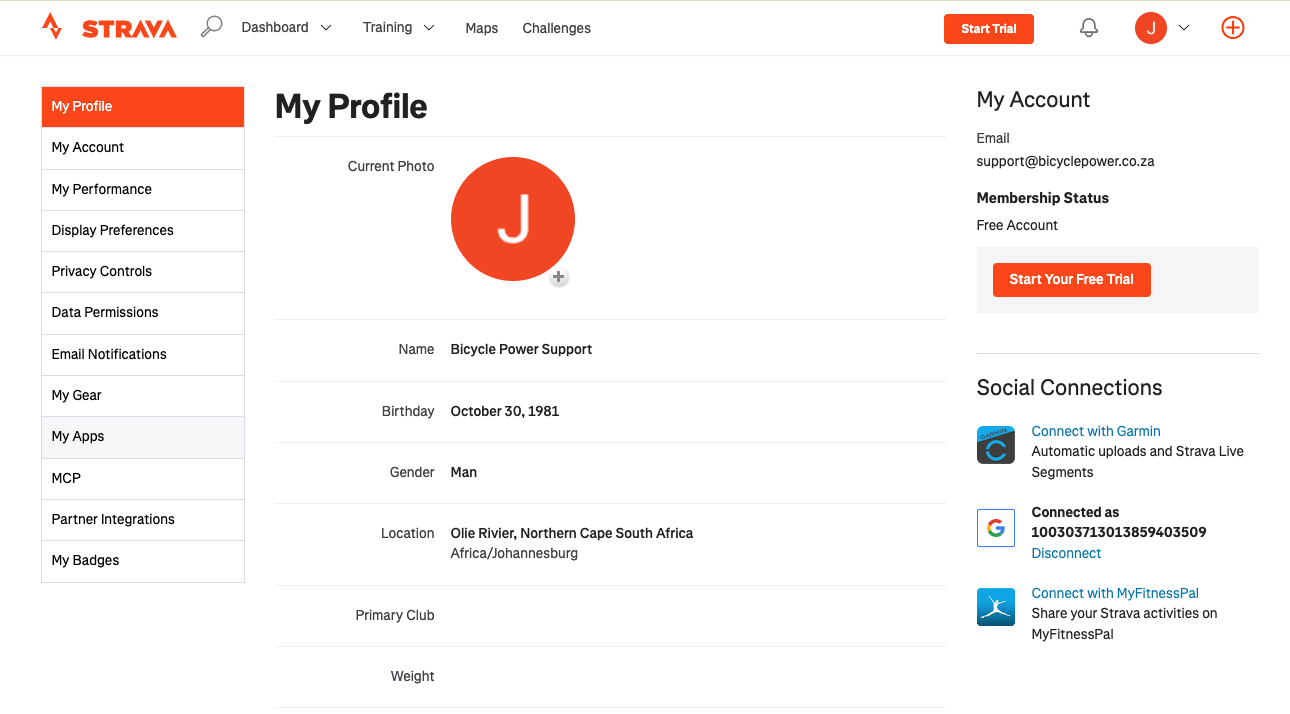
- Select Settings
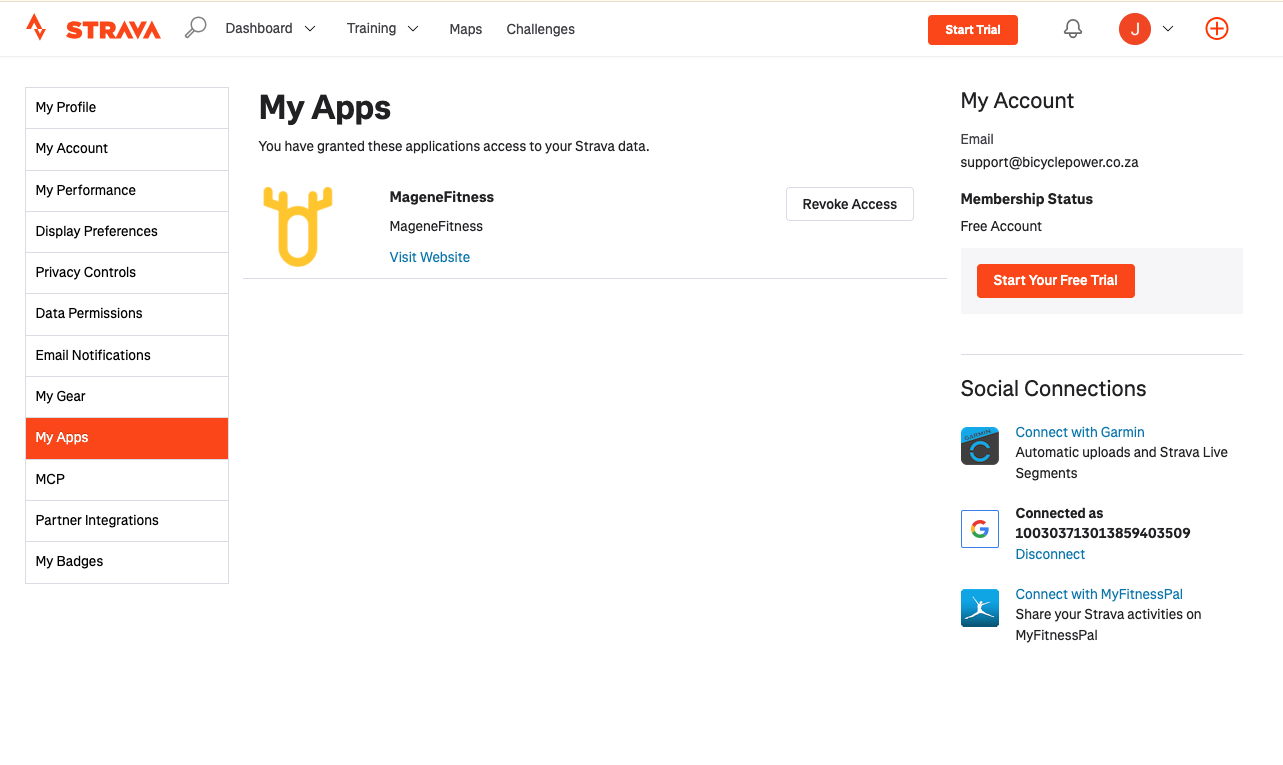
- Select My Apps
- Find MageneFitness
- Click Revoke Access
This removes the old or broken authorization link between Strava and OneLapFit.
Part B - Revoke Strava inside the OneLapFit app
On your phone:
- Open the OneLapFit app
- Go to Profile → Authorized Apps
- Select Strava
- Tap Revoke Platform Authorization
This clears the old Strava connection stored inside OneLapFit.
Part C - Re‑authorize Strava inside OneLapFit
After revoking access in BOTH Strava and OneLapFit:
- Still in Profile → Authorized Apps
- Select Strava again
- Follow the on‑screen login process
- Log into your correct Strava account
- Approve ALL permissions, including:
- Upload activities
- Read activities
- Profile access
Expired, revoked, or incomplete permissions will block uploads.
Step 3 - Corrupted FIT file
A corrupted file will show:
- 0 km
- 0 seconds
- Missing GPS
In this case, the FIT file cannot upload to Strava or any platform.
Was this article helpful?
That’s Great!
Thank you for your feedback
Sorry! We couldn't be helpful
Thank you for your feedback
Feedback sent
We appreciate your effort and will try to fix the article