Overview
The Magene C606v2 and C706 do not include a default data page specifically configured for power meter data.
To view power-related metrics such as:
- Power (Watts)
- Left / Right Balance
- Cadence
- Torque Effectiveness
- Pedal Smoothness
- Cycling Dynamics Metrics
To view Cycling Dynamics data, a custom dashboard screen must be created within the OneLapFit App.
Open the OneLapFit App
- Open the OneLapFit App on your Android or Apple device.
- Select the linked C606v2 or C706 device.
- Select the riding mode you wish to modify.
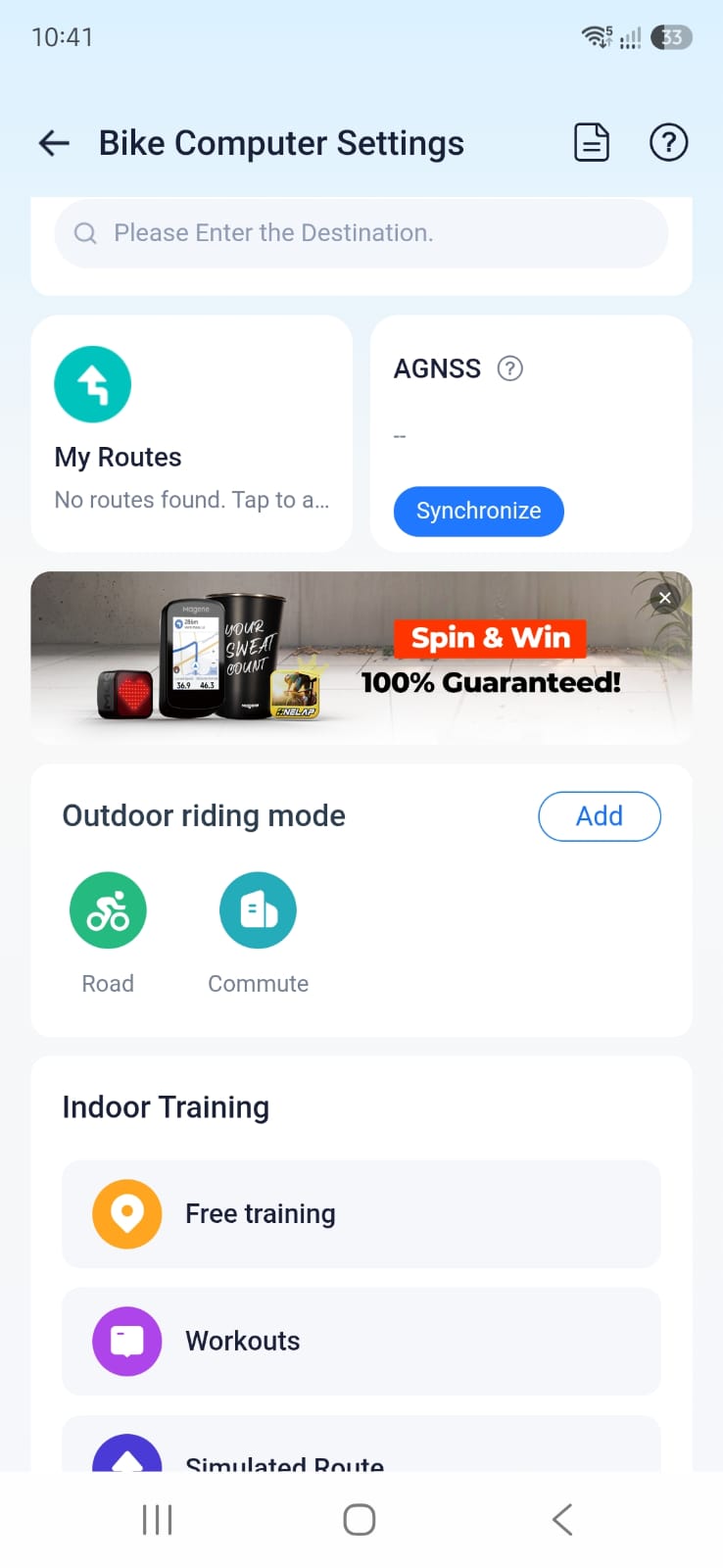
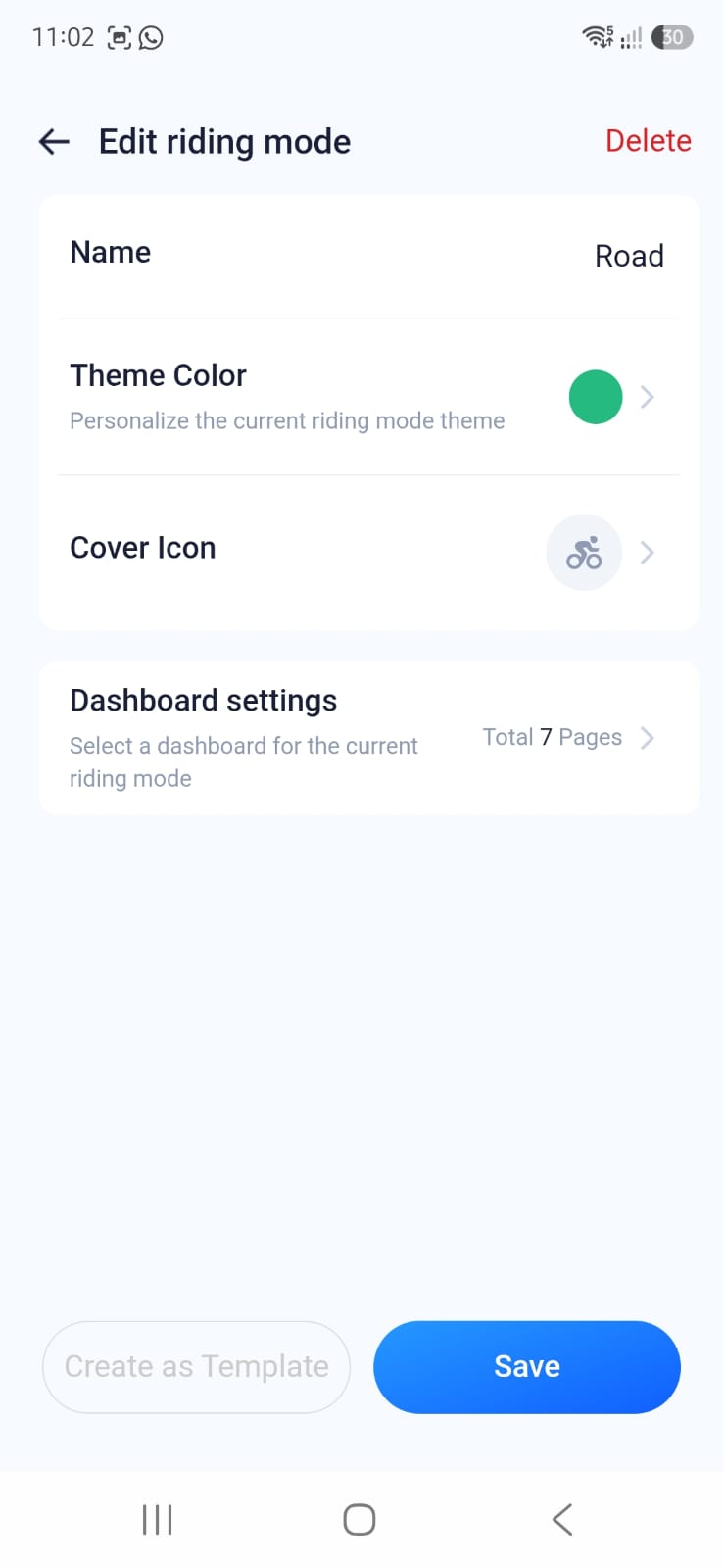
This will open the Edit Riding Mode screen.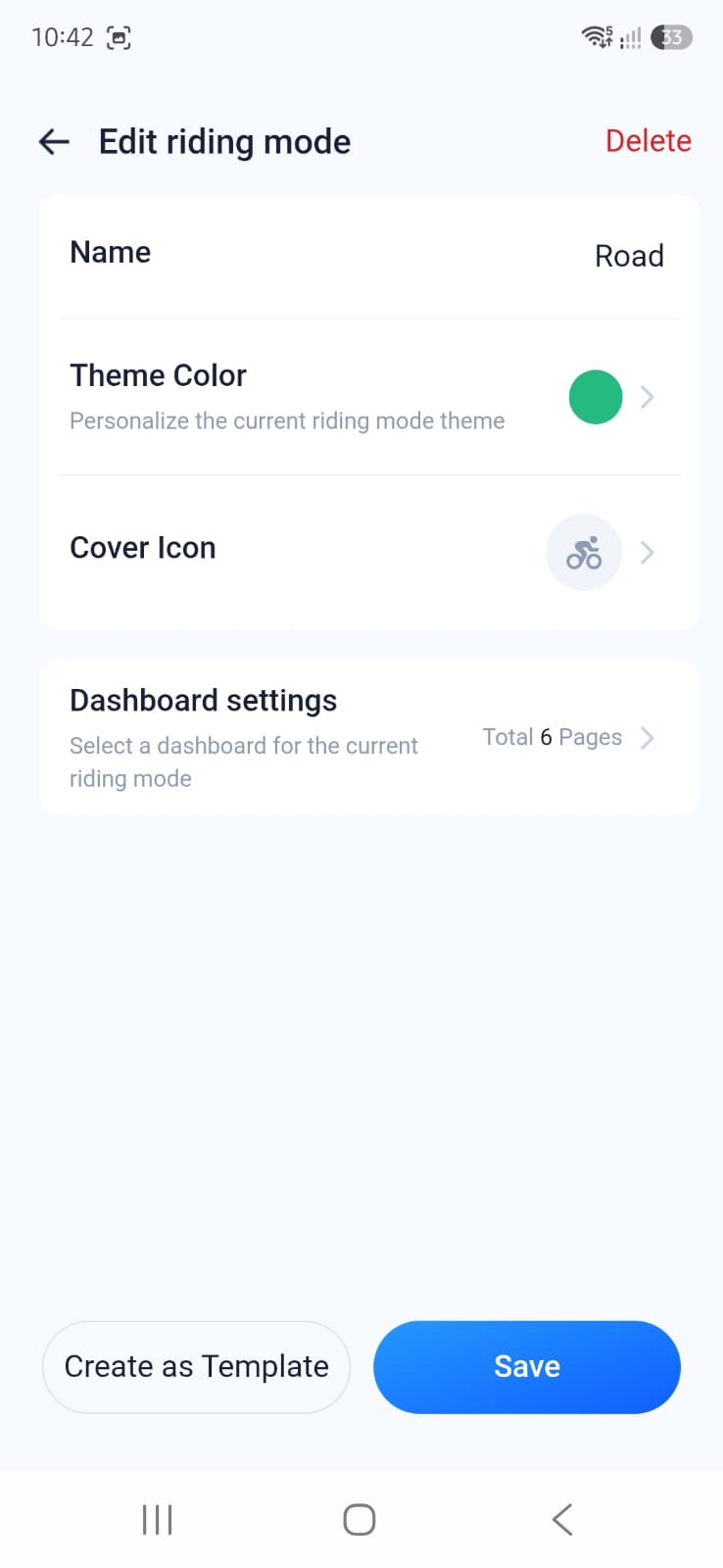
Configure the Dashboard
Select Dashboard Settings.
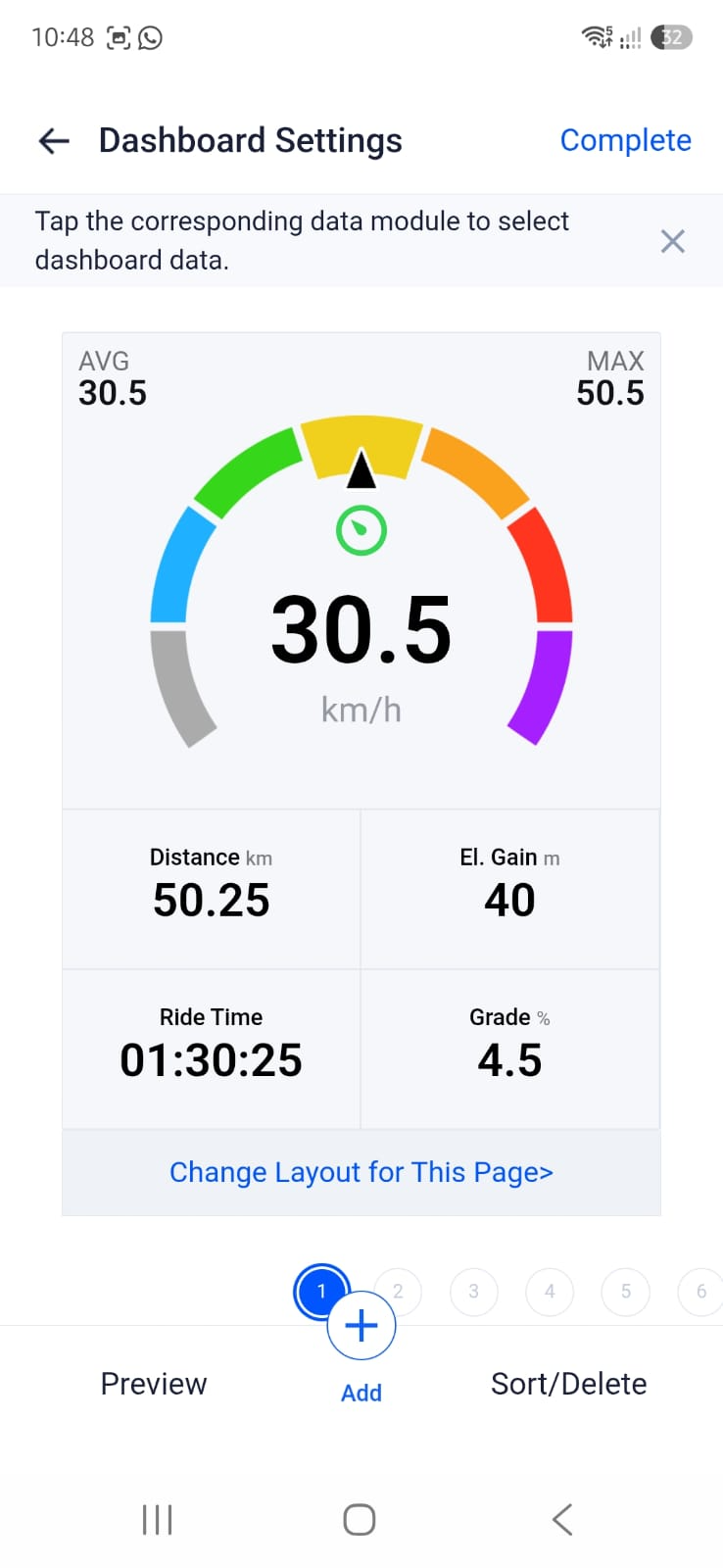
You can either:
- Edit an existing dashboard page, or
- Select Add at the bottom of the screen to create a new page.
For this example, select Add.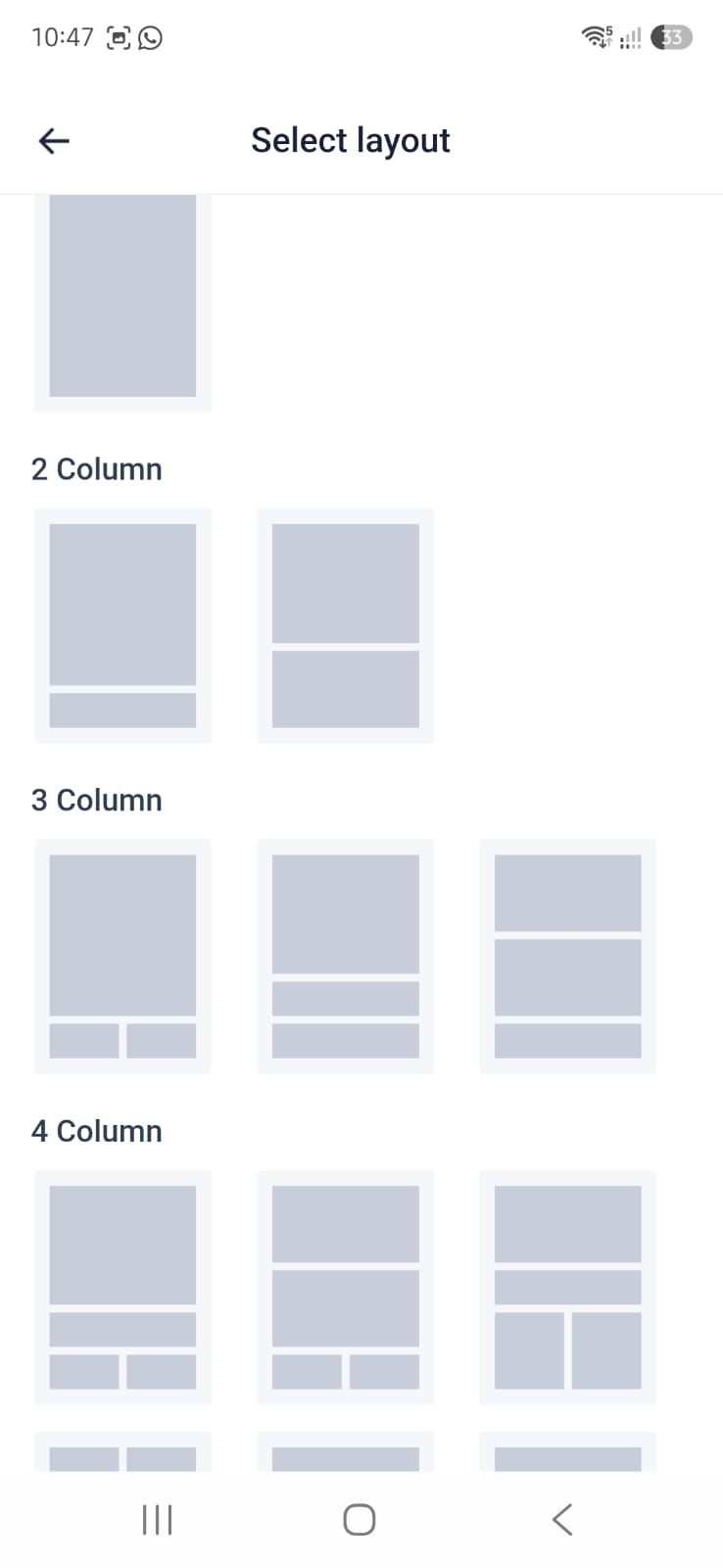
- The Select Layout screen will appear.
- Select the first 3-Column Layout option
This opens the dashboard editing screen.
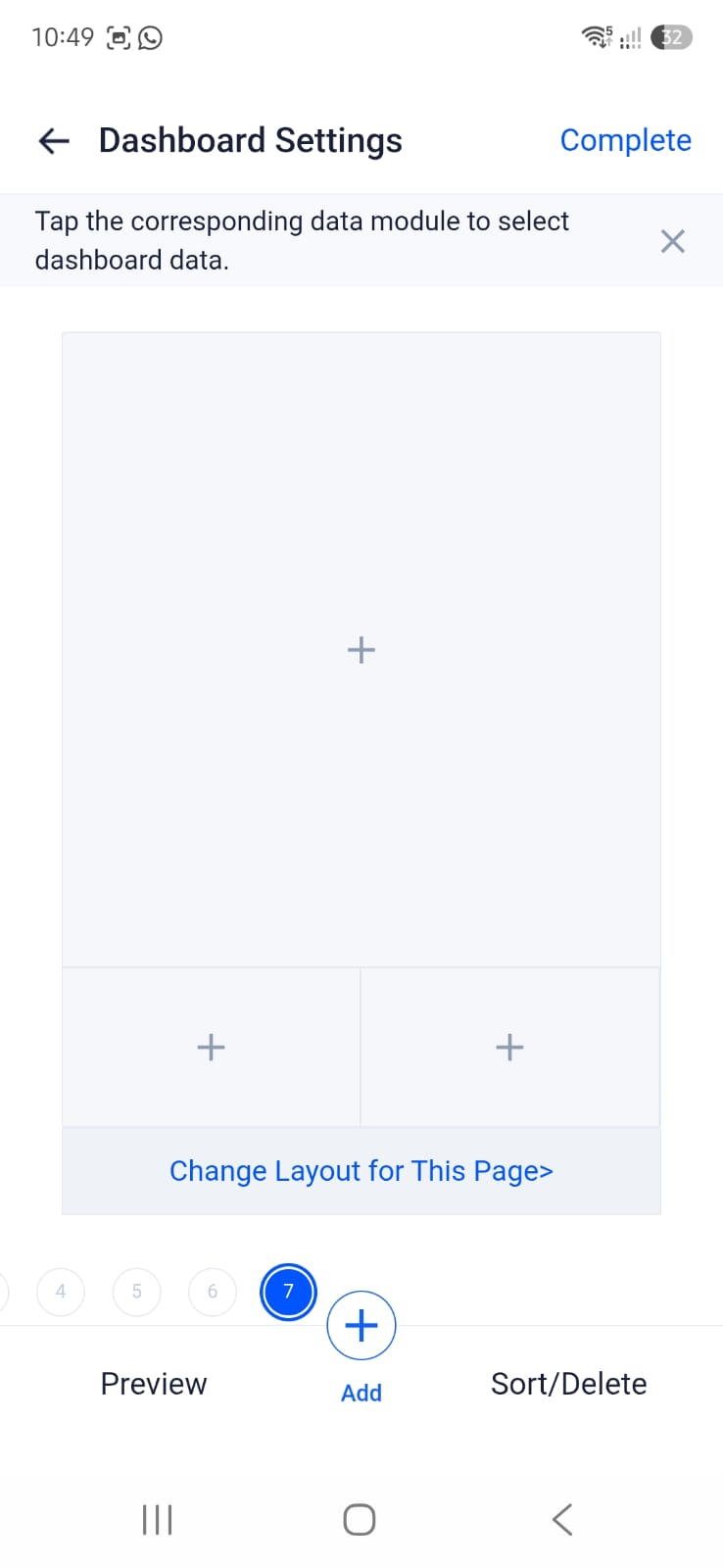
Add Cycling Dynamics Fields
- Select the (+) icon on the large data block.
- The Data Selection screen will open.
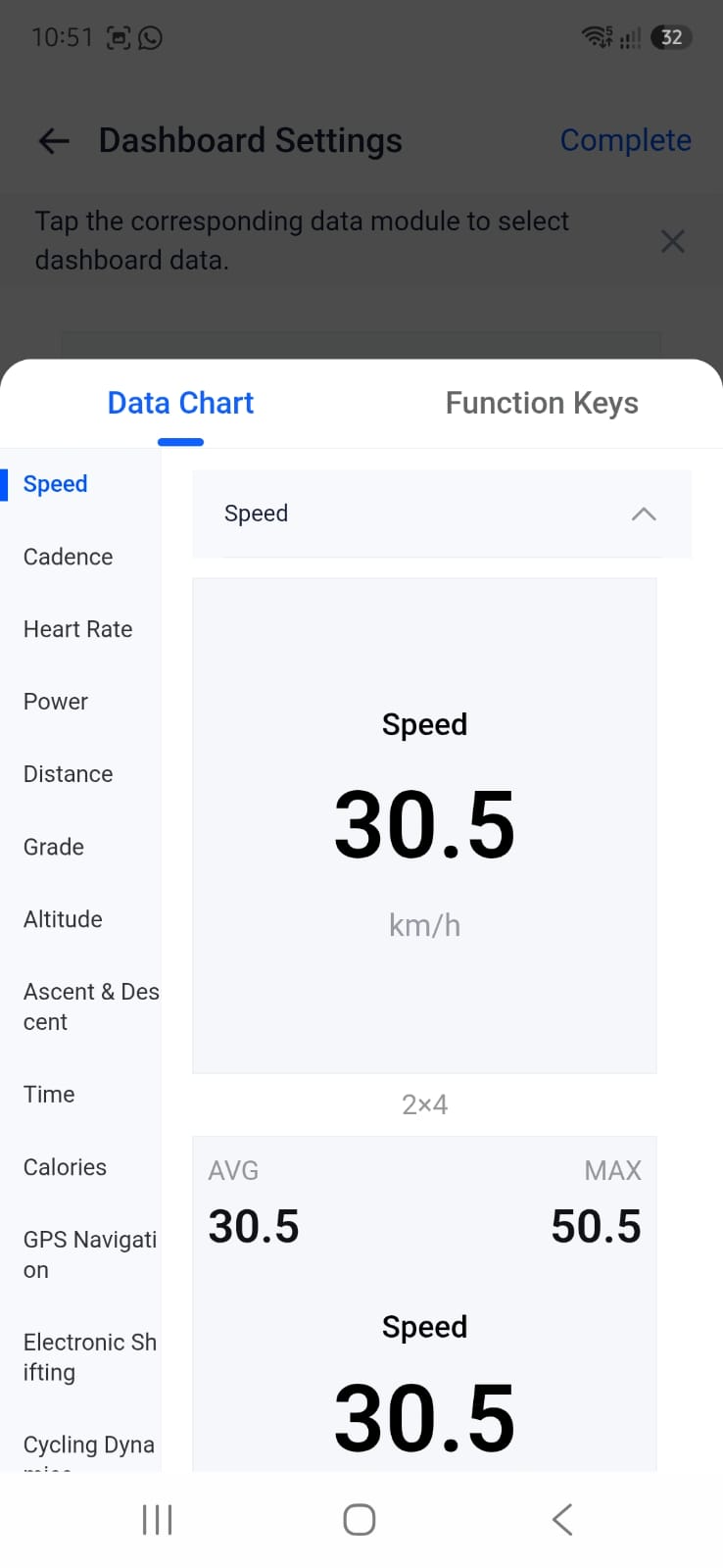
- Select Cycling Dynamics from the category list.
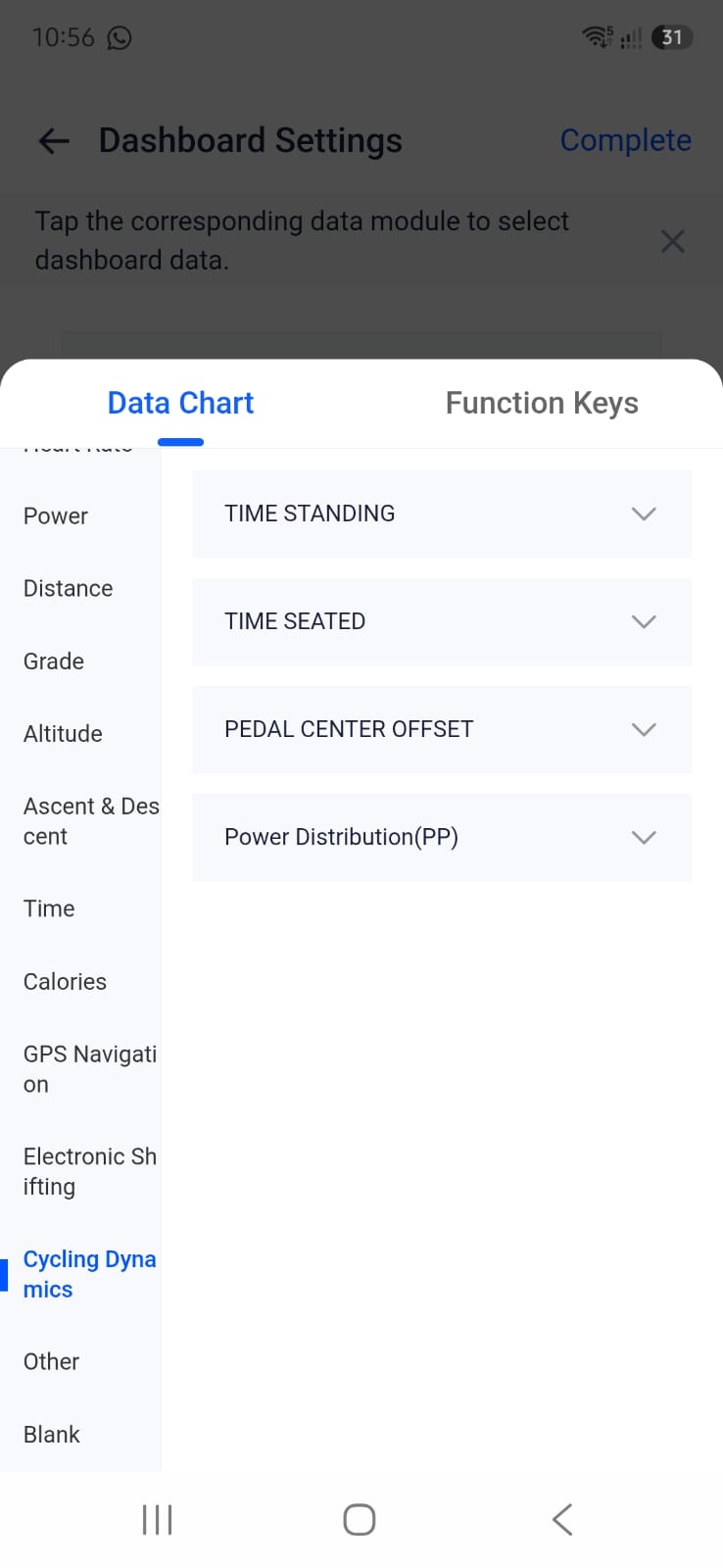
Recommended fields:
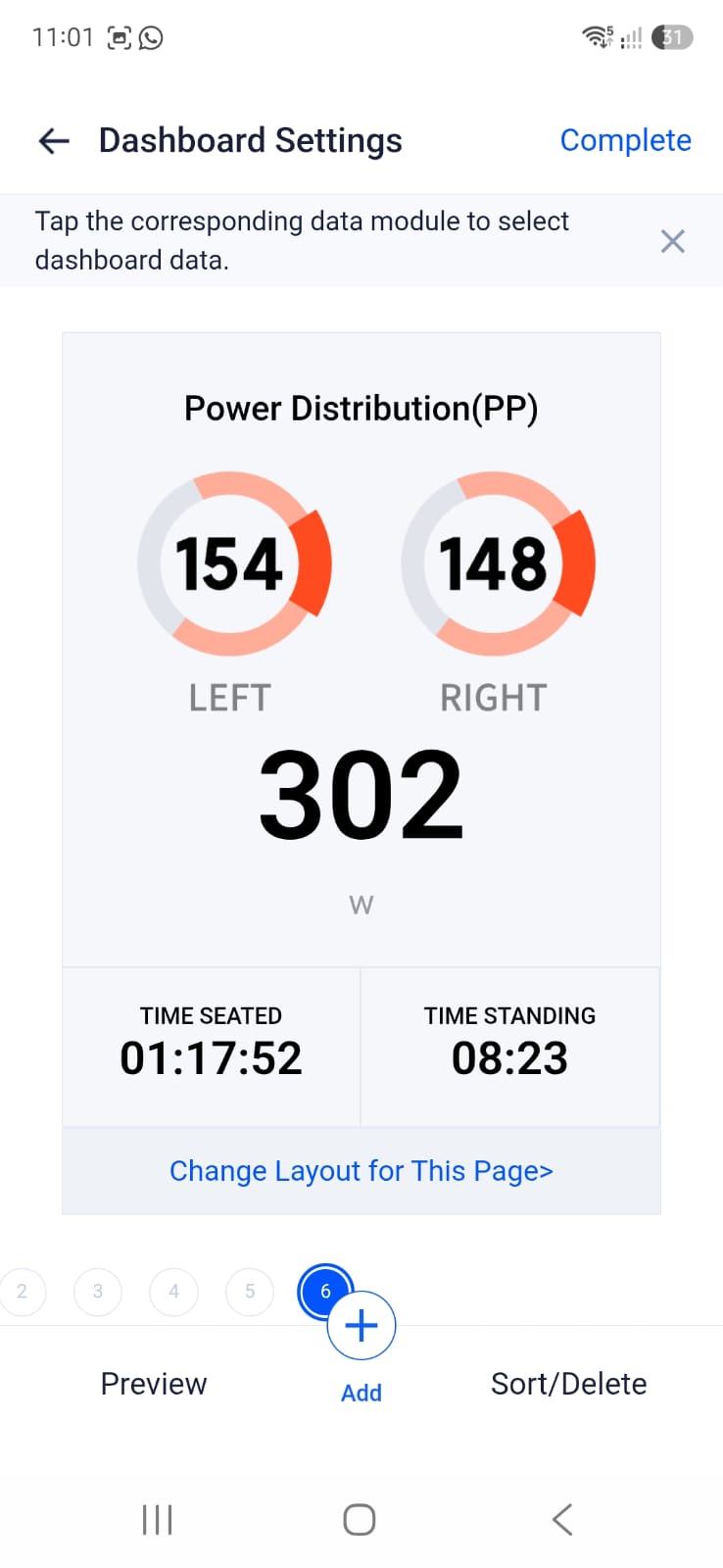
2 x 4 Data Block
Power Distribution
This field displays: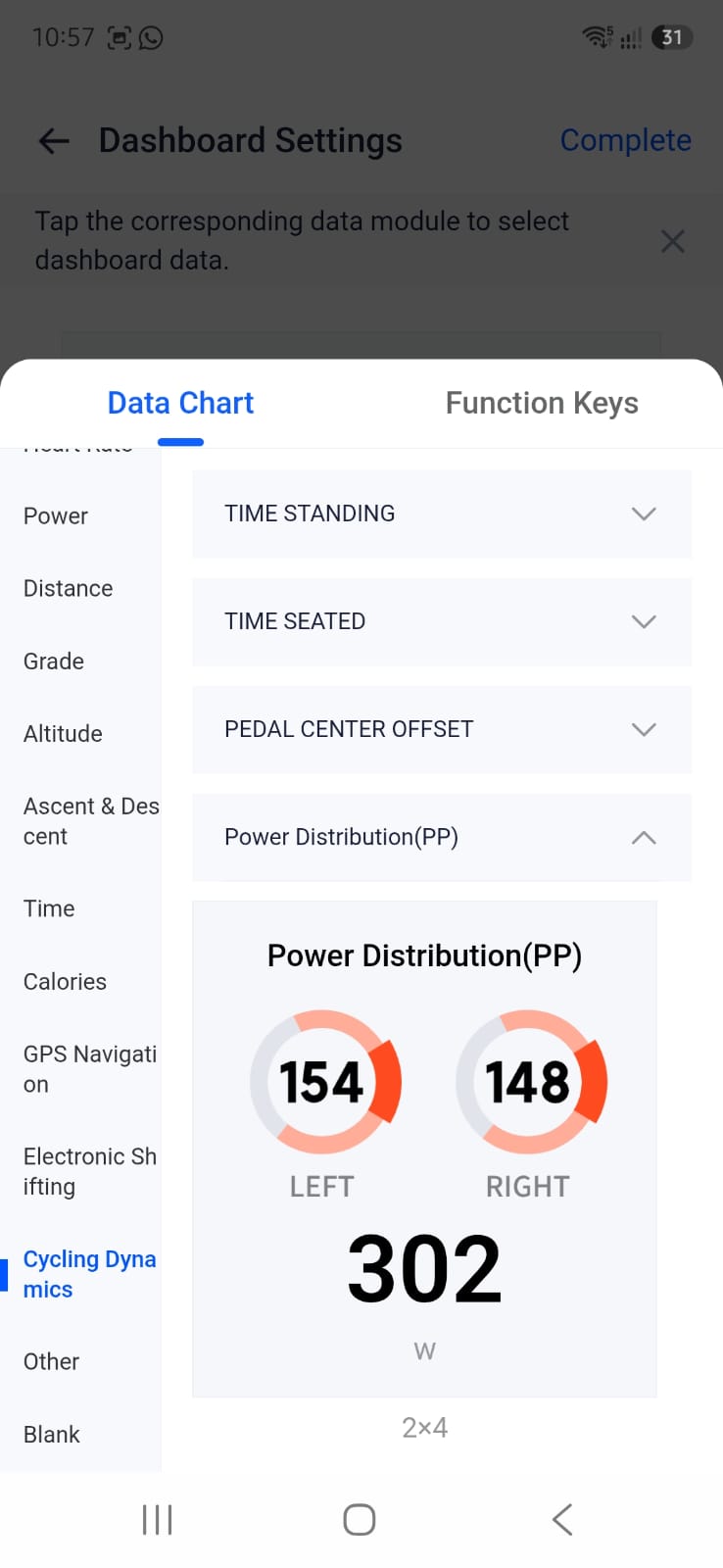
- Total Power (Watts)
- Left Leg Contribution
- Right Leg Contribution
This gives a quick visual indication of rider balance.
1 x 1 Data Block
Time Standing
Displays the amount of time spent riding out of the saddle.
1 x 1 Data Block
Time Seated
Displays the amount of time spent seated during the ride.
Save and Synchronize
- Select Complete in the top-right corner.
- Select Save.
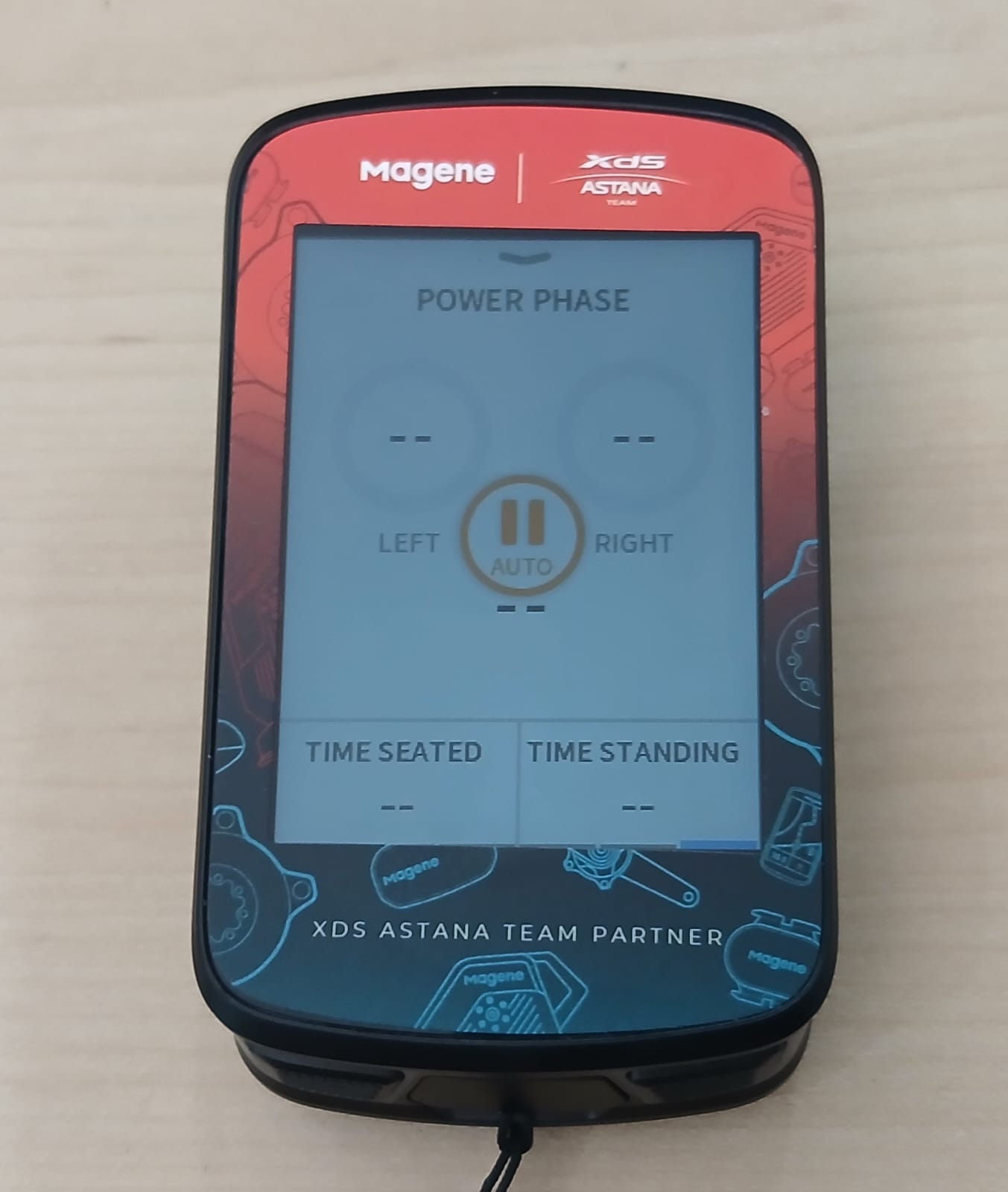
- Synchronize the head unit with OneLapFit.
The updated dashboard layout will now be transferred to the selected riding mode on the C606v2 or C706.
Was this article helpful?
That’s Great!
Thank you for your feedback
Sorry! We couldn't be helpful
Thank you for your feedback
Feedback sent
We appreciate your effort and will try to fix the article